Onboarding
kubectl Cluster Access
Tip
You will need the awscli and kubectl installed in order to interact with the cluster
Navigate to ClearRoutes AWS Portal and choose from the following environments:
- Constellation Sandbox: AWS Account:
799468650620, Region:ap-southeast-2, Cluster name:sandbox - Constellation Dev: AWS Account:
799468650620, Region:ap-southeast-2, Cluster name:dev - Constellation Prod: AWS Account:
293883685938, Region:ap-southeast-2, Cluster name:prod
export the Access Keys (AWS_ACCESS_KEY_ID, AWS_SECRET_ACCESS_KEY, AWS_SESSION_TOKEN) in your $SHELL and run:
If that succeeded, you can then interact with the cluster:
> kubectl get pods -A
NAMESPACE NAME READY STATUS RESTARTS AGE
app-careers careers-6484458655-mr2dz 2/2 Running 0 2m39s
app-clearcomply clearcomply-864b4777c8-899gm 2/2 Running 0 27h
app-engineering engineering-5446d7b77d-p5xq5 1/1 Running 0 5m45s
app-example-app deployment-85897b6456-fw4c6 1/1 Running 0 5m45s
app-passport passport-59654576f-xgz6l 2/2 Running 0 30h
app-passport whoami-5689c6b47f-x4z4l 1/1 Running 0 30h
app-profit-share profitshare-5d56b656f8-krw5h 1/1 Running 0 5m45s
app-promwright promwright-6487f88f5f-l4hv5 1/1 Running 0 5m45s
app-radar radar-566fccd445-tm9m2 1/1 Running 0 28h
argocd argo-cd-argocd-application-controller-0 1/1 Running 0 2m38s
argocd argo-cd-argocd-applicationset-controller-fc766c74b-nhkml 1/1 Running 0 5m45s
argocd argo-cd-argocd-notifications-controller-8688cb7fd-trmbs 1/1 Running 0 2m39s
argocd argo-cd-argocd-redis-b7b446c75-2j74g 1/1 Running 0 33h
argocd argo-cd-argocd-repo-server-f588dbcf8-wbbrq 1/1 Running 0 33h
argocd argo-cd-argocd-server-676d7bb74b-p8b96 1/1 Running 0 33h
cert-manager cert-manager-cainjector-6648dd7598-zv8l7 1/1 Running 0 2m39s
cert-manager cert-manager-fd4f89f9b-bqcpd 1/1 Running 0 28h
cert-manager cert-manager-webhook-57bb5d5c45-nfgwh 1/1 Running 0 5m45s
external-dns external-dns-98d5d877b-d6dpc 1/1 Running 0 28h
external-secrets external-secrets-6c977d7fd4-hwhh5 1/1 Running 0 33h
external-secrets external-secrets-cert-controller-86b866f785-nx4kq 1/1 Running 0 2m39s
external-secrets external-secrets-webhook-b44fb545f-s24gd 1/1 Running 0 2m39s
kube-system aws-node-8nzwg 2/2 Running 0 27m
kube-system aws-node-s5d7l 2/2 Running 0 33h
kube-system aws-node-wc26g 2/2 Running 0 34h
kube-system cluster-autoscaler-aws-cluster-autoscaler-5bbb7f7646-lcfg2 1/1 Running 0 28m
kube-system coredns-55b96fd84-6q885 1/1 Running 0 5m45s
kube-system coredns-55b96fd84-7gfhx 1/1 Running 0 33h
kube-system eks-pod-identity-agent-4t4v5 1/1 Running 0 34h
kube-system eks-pod-identity-agent-ktm4g 1/1 Running 0 33h
kube-system eks-pod-identity-agent-kx6jd 1/1 Running 0 27m
kube-system kube-proxy-4jvg6 1/1 Running 0 27m
kube-system kube-proxy-pqqpv 1/1 Running 0 33h
kube-system kube-proxy-s77cb 1/1 Running 0 34h
monitoring kube-prometheus-stack-grafana-d66f9f45f-5vmmw 3/3 Running 0 2m39s
monitoring kube-prometheus-stack-kube-state-metrics-557fd457c6-fv5ht 1/1 Running 0 5m45s
monitoring kube-prometheus-stack-operator-bffd9576c-t2zz7 1/1 Running 0 2m39s
monitoring kube-prometheus-stack-prometheus-node-exporter-62f9s 1/1 Running 0 34h
monitoring kube-prometheus-stack-prometheus-node-exporter-8n7dr 1/1 Running 0 33h
monitoring kube-prometheus-stack-prometheus-node-exporter-cwg88 1/1 Running 0 27m
monitoring prometheus-kube-prometheus-stack-prometheus-0 2/2 Running 0 5m44s
traefik traefik-599dfcc89b-qnbr9 1/1 Running 0 33h
Application Onboarding
Constellation has been build to offer a managed platform to quickly run containerized workloads.
If you want to deploy your workload to Constellation, follow the these steps:
Clone the constellation-iac repo
Create an application directory with kustomize base and overlays
Tip
We use kustomize to template Kubernetes manifests with environment specific values
Create a directory within applications/external/<app-name> (if your app is internet facing) or applications/internal/<app-name> (if your app serves only internal purposes).
Important
<app-name> should match your github.com/clear-route/<repository> name (e.g github.com/clear-route/my-new-app -> application/external/my-new-app)
mkdir -p applications/external/app-name/{base,overlays}
mkdir -p applications/external/app-name/overlays/{sandbox,dev,prod}
which results in:
tree applications/external/app-name
applications/external/app-name
├── base
└── overlays
├── dev
├── prod
└── sandbox
6 directories, 0 files
Add your manifests
base directory
You can now add your Kubernetes manifests to the base/ directory. To help you get started you can check out the example-app that showcases most of the features as well as browsing other applications (external & internal)
overlays directories
We have one root kustomztion.yaml for each of Constellations environment (sandbox -> dev -> prod). We then use kustomize patches to pass in and render any environment specific values.
Here is an example sandbox/kustomization.yaml:
# applications/internal/profit-share/overlays/sandbox/kustomization.yaml
apiVersion: kustomize.config.k8s.io/v1beta1
kind: Kustomization
metadata:
name: profitshare
labels:
- pairs:
app: profitshare
includeSelectors: true
resources:
- ../../base
images:
- name: clearroute/profit-share
newName: 799468650620.dkr.ecr.ap-southeast-2.amazonaws.com/profit-share-dev
newTag: v0.0.1-alpha.13-6cbca80-web
patches:
- target:
kind: Ingress
name: profitshare
patch: |
- op: add
# kustomize uses ~1 to escape / in json pointer paths ...
path: /metadata/annotations/link.argocd.argoproj.io~1external-link
value: https://profitshare.sandbox.clearroute.io
- op: add
path: /metadata/annotations/external-dns.alpha.kubernetes.io~1hostname
value: profitshare.sandbox.clearroute.io
- op: add
path: /spec/rules/0/host
value: profitshare.sandbox.clearroute.io
- op: add
path: /spec/tls/0/hosts/0
value: profitshare.sandbox.clearroute.io
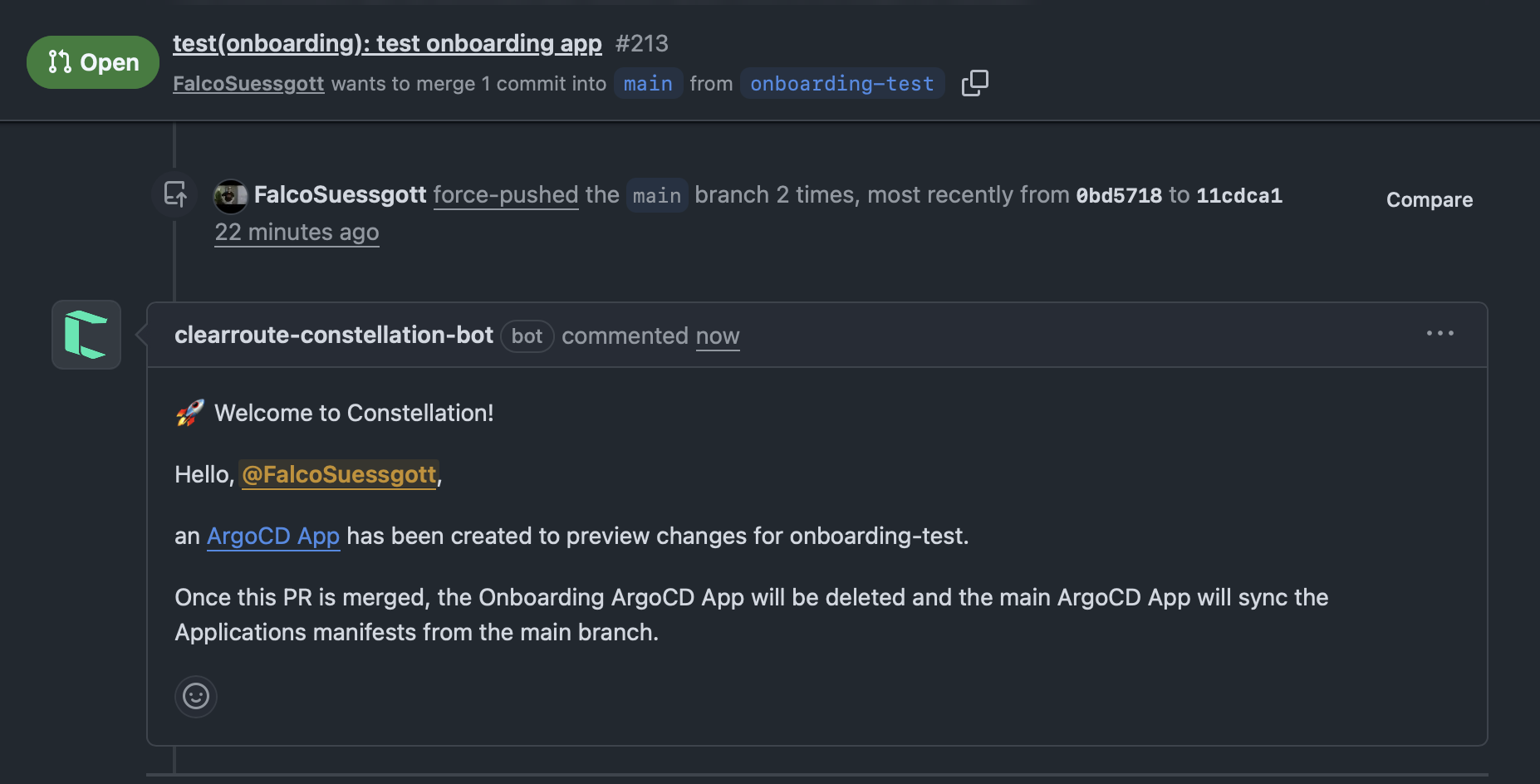
You can then commit your changes and open a PR, you will see the rendered manifests added as a PR comment for you to review
What then happens:
First, terraform will pick up the changes and creates an ECR for your application repository with the appropriate IAM setting to push to that ECR from your repositories Github Action (Check out the provided Constellation Github Action Workflows).
Also an AWS Secrets Manager Secrets directory (/constellation/<app-name>/<cluster>) is created. For each app, a set of random generated DB credentials is created (/constellation/<app-name>/<cluster>/{DB_USER, DB_HOST,DB_NAME, DB_PORT})
Then ArgoCD will apply the manifests depending on the Cluster.
Example App
Info
Check out applications/external/example-app. Its an example app leveraging most of the available features.
Tip
Read the following manifests and their comments to understand how to deploy and expose an app, fetch secrets, connect to DB.
base
Put here all manifests and leave blank the environment specific values. We will later use
kustomizeto patch in the values based on the environment.
deployment.yaml
Simple App deployment manifest
apiVersion: apps/v1 kind: Deployment metadata: name: deployment spec: replicas: 1 template: spec: containers: - name: example-app image: stefanprodan/podinfo # expose ports ports: - name: http containerPort: 9898 protocol: TCP - name: http-metrics containerPort: 9797 protocol: TCP envFrom: # mount app specific secrets - secretRef: name: secrets # probes livenessProbe: exec: command: - podcli - check - http - localhost:9898/healthz initialDelaySeconds: 5 timeoutSeconds: 5 readinessProbe: exec: command: - podcli - check - http - localhost:9898/readyz initialDelaySeconds: 5 timeoutSeconds: 5
service.yaml
Front facing
Serviceincluding aServiceMonitorto automatically scrape any prometheus metrics.apiVersion: v1 kind: Service metadata: name: example-app spec: type: ClusterIP ports: - port: 80 protocol: TCP targetPort: 9898 # should match deployment.yaml containerPort --- apiVersion: monitoring.coreos.com/v1 kind: ServiceMonitor metadata: name: example-app labels: # important, must match the prometheus operator release name release: kube-prometheus-stack spec: selector: matchLabels: app: example-app endpoints: - port: metrics interval: 30s scheme: http
ingress.yaml
IngressRoutefor you app service
Info
Pay attention to the annotations. They instruct cert-manager & external-dns to request a certificate and create a route53 record
apiVersion: networking.k8s.io/v1
kind: Ingress
metadata:
name: ingress
annotations:
# TLS via cert-manager
cert-manager.io/cluster-issuer: letsencrypt
cert-manager.io/acme-challenge-type: dns01
# Traefik Ingress Annotations
traefik.ingress.kubernetes.io/router.entrypoints: websecure
traefik.ingress.kubernetes.io/router.tls: "true"
spec:
ingressClassName: traefik
rules:
- host: "" # provided via kustomize overlays patches
http:
paths:
- path: /
pathType: Prefix
backend:
service:
# should match service.yaml name
name: example-app
port:
# should match service.yaml port
number: 80
tls:
- hosts: [] # provided via kustomize overlays patches
secretName: example-app-cert
secrets.yaml
App specific secrets and the DB-Master creds
Info
Those secret paths are created during onboarding.
app-secrets correspond to constellation/<app-name>/<environment>
db-master-creds correspond to constellation/<environment>/rds_credentials
in AWS secrets manager
# App specific Secrets
apiVersion: external-secrets.io/v1
kind: ExternalSecret
metadata:
name: secrets
annotations:
argocd.argoproj.io/hook: PreSync
spec:
refreshInterval: 1h
secretStoreRef:
kind: ClusterSecretStore
name: aws-secretsmanager
target:
name: secrets
db-migrator.yaml
Job that creates the RBAC for your app specific DB credentials using the RDS master credentials
Info
This is only needed if your app uses a RDS DB
apiVersion: batch/v1
kind: Job
metadata:
name: db-bootstrap
annotations:
# ArgoCD PreSync Hook, run before app deployment
argocd.argoproj.io/hook: PreSync
argocd.argoproj.io/hook-delete-policy: HookSucceeded
spec:
backoffLimit: 1
ttlSecondsAfterFinished: 300
template:
spec:
restartPolicy: Never
containers:
- name: bootstrap
image: postgres:16
env:
- name: PGDATABASE
value: postgres
envFrom:
- secretRef:
name: secrets
command:
- bash
- -ceu
- |
echo "Bootstrapping $DB_NAME for user $DB_USER..."
# Check if database exists
if ! psql -h "$PGHOST" -U "$PGUSER" -d "$PGDATABASE" -tAc "SELECT 1 FROM pg_database WHERE datname='$DB_NAME'" | grep -q 1; then
echo "Creating database $DB_NAME..."
psql -h "$PGHOST" -U "$PGUSER" -d "$PGDATABASE" -c "CREATE DATABASE \"$DB_NAME\""
else
echo "Database $DB_NAME already exists."
fi
# Now create or update the user and grant privileges
psql -h "$PGHOST" -U "$PGUSER" -d "$DB_NAME" <<SQL
DO \$\$
BEGIN
IF NOT EXISTS (SELECT 1 FROM pg_roles WHERE rolname = '$DB_USER') THEN
EXECUTE format('CREATE ROLE %I LOGIN PASSWORD %L', '$DB_USER', '$DB_PASSWORD');
ELSE
EXECUTE format('ALTER ROLE %I WITH LOGIN PASSWORD %L', '$DB_USER', '$DB_PASSWORD');
END IF;
END
\$\$;
GRANT ALL PRIVILEGES ON DATABASE "$DB_NAME" TO "$DB_USER";
-- Set up default privileges BEFORE ownership transfer
ALTER DEFAULT PRIVILEGES FOR ROLE "$DB_USER" IN SCHEMA public
GRANT ALL ON TABLES TO "$DB_USER";
ALTER DEFAULT PRIVILEGES FOR ROLE "$DB_USER" IN SCHEMA public
GRANT ALL ON SEQUENCES TO "$DB_USER";
-- Now hand over ownership
ALTER DATABASE "$DB_NAME" OWNER TO "$DB_USER";
SQL
echo "Bootstrap for $DB_NAME completed successfully."
kustomization.yaml
list all manifests under
resources
overlays/<env>
Patch in any environment specific values
apiVersion: kustomize.config.k8s.io/v1beta1 kind: Kustomization metadata: name: example-app labels: - pairs: app: example-app includeSelectors: true resources: - ../../base images: # example-app image should be listed here so you can override tag per environment - name: stefanprodan/podinfo newTag: 6.9.2 patches: - target: kind: Ingress name: example-app patch: | # ArgoCD External Link Annotation - op: add # kustomize uses ~1 to escape / in json pointer paths ... path: /metadata/annotations/link.argocd.argoproj.io~1external-link value: https://example-app.sandbox.clearroute.io # External DNS Hostname - op: add path: /metadata/annotations/external-dns.alpha.kubernetes.io~1hostname value: example-app.sandbox.clearroute.io # Ingress Host - op: add path: /spec/rules/0/host value: example-app.sandbox.clearroute.io # TLS CN - op: add path: /spec/tls/0/hosts/0 value: example-app.sandbox.clearroute.io # mount app secrets - target: kind: ExternalSecret name: app-secrets patch: | # - op: add path: /spec/dataFrom value: - extract: key: constellation/example-app/sandbox # mount rds master creds - target: kind: ExternalSecret name: db-master-creds patch: | - op: add path: /spec/dataFrom value: - extract: key: constellation/sandbox/rds_credentials
Staging
Once you want to promote your app to upper environments (dev or prod) it is highly recommend pinning your overlay kustomize resource to the specific commit. So instead of:
apiVersion: kustomize.config.k8s.io/v1beta1
kind: Kustomization
metadata:
name: example-app
labels:
- pairs:
app: example-app
includeSelectors: true
resources:
- ../../base
you should do:
apiVersion: kustomize.config.k8s.io/v1beta1
kind: Kustomization
metadata:
name: example-app
labels:
- pairs:
app: example-app
includeSelectors: true
resources:
- https://raw.githubusercontent.com/clear-route/constellation-iac//applications/external/example-app/base/db-migrator.yaml?base=<COMMIT_SHA>
This allows you to safely update your manifests in base without affecting dev & prod!